
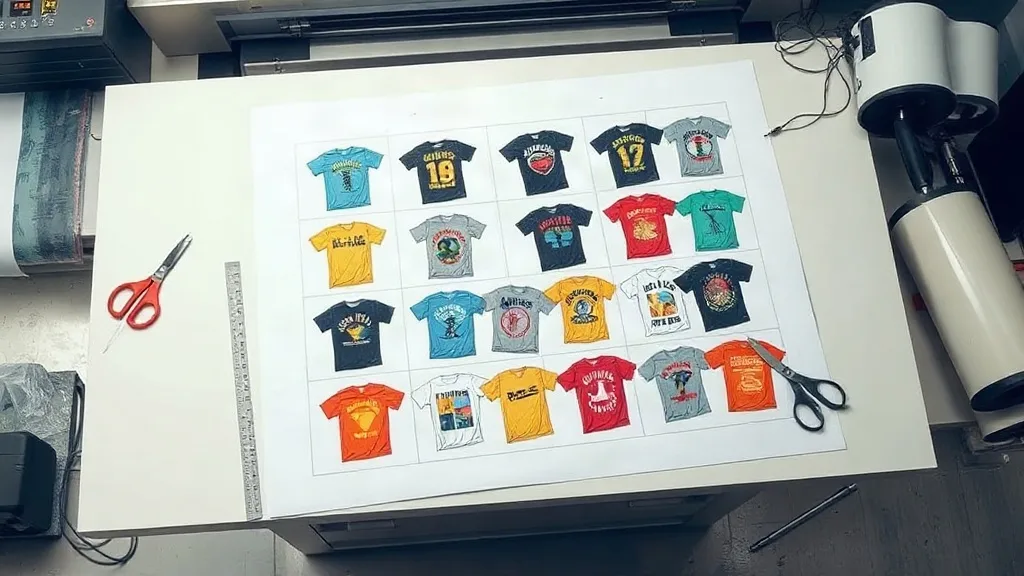
If you run a print shop, you already know that time and material waste are the silent killers of profit. Every extra inch of film, every minute spent trimming, and every misprint eats into your bottom line. That's where the DTF Gangsheet comes in. It's not just a fancy term; it's a production strategy that can transform the way you handle custom apparel orders, especially for small to medium runs. In this guide, we'll break down what a gangsheet is, why it matters, and how you can use it to work smarter, not harder.
What Exactly Is a DTF Gangsheet?
In DTF (Direct to Film) printing, a gangsheet is a single sheet of film that contains multiple designs arranged together. Instead of printing each design on its own separate sheet, you "gang" them up, hence the name. This approach is similar to gang printing in offset lithography, where multiple jobs are combined on one press sheet to save setup time and material. For DTF, it means you can print a variety of small designs, like logos, names, or numbers, on one continuous roll or sheet, then cut them apart after transfer.
The concept is simple, but the impact is huge. By maximizing the use of film, you reduce waste and cut down on the number of sheets you need to handle. This is particularly beneficial for orders that include many small items, such as team jerseys with numbers, or promotional items with small logos. Instead of running a separate sheet for each, you gang them all together and print once.
Why Gangsheets Matter for Your Bottom Line
Let's talk numbers. Film and powder are two of your biggest consumable costs in DTF printing. If you're printing small designs individually, you're likely leaving a lot of empty space on each sheet. That's money literally going out the window. A gangsheet lets you fill that space with other designs, so you're using nearly every square inch of film. The result: lower cost per print and higher margins.
But it's not just about material savings. Time is money, too. Loading and unloading sheets, changing settings, and trimming each design separately adds up. With a gangsheet, you print once, cure once, and then cut the designs apart. The entire workflow becomes more efficient, freeing up your team to handle other tasks. For a busy shop, that efficiency can mean the difference between meeting a deadline and missing it.
Moreover, gangsheets enable you to offer competitive pricing on small orders. Customers often want just a few shirts with a small logo, and if you price them individually, the cost per shirt can be high. By ganging these small jobs, you can bring the price down and attract more of that business. It's a win-win: customers get affordable custom apparel, and you maintain healthy margins.
How to Build an Effective Gangsheet
Creating a gangsheet isn't just about throwing designs onto a canvas. A little planning goes a long way. Here are the key steps to build one that maximizes efficiency and quality.
1. Choose the Right Software
Most DTF printers come with RIP software that includes a gangsheet builder. If yours doesn't, there are standalone tools available. The software should allow you to import designs, arrange them, and automatically nest them to minimize gaps. Look for features like auto-nesting, which uses algorithms to pack designs tightly, and the ability to set spacing between designs to ensure clean cuts.
2. Plan Your Layout
Before you hit print, think about the order. Group similar colors together to reduce ink changes if your printer requires it. Also, consider the cutting process: leave enough space between designs so you can trim without accidentally cutting into a neighboring design. A good rule of thumb is to leave at least 0.25 inches (about 6 mm) between designs.
If you're printing on a roll, you can create a long gangsheet that runs continuously. This is ideal for high-volume production. For sheet-fed printers, you'll be limited by the sheet size, so plan accordingly.
3. Mind the Grain and Orientation
DTF film has a grain direction, similar to paper. While it's less critical than in other printing methods, it's still good practice to align designs consistently. Also, consider the orientation of the designs: if you're printing text, make sure it's oriented so that it reads correctly after transfer. Remember that DTF transfers are applied face down, so the design will be mirrored on the film. Your software should handle this automatically, but it's worth double-checking.
4. Test and Calibrate
Before committing to a full gangsheet, do a test print with a few designs to check color accuracy, adhesion, and overall quality. This is especially important when you're printing a mix of designs with different color profiles. You might need to adjust your printer settings or ink limits to ensure consistent results across the sheet.
Common Pitfalls and How to Avoid Them
Even experienced shops can run into issues with gangsheets. Here are a few common mistakes and how to steer clear of them.
- Overcrowding: While you want to maximize film usage, leaving too little space between designs can make cutting difficult and increase the risk of damaging prints. Always leave a safe margin.
- Ignoring color consistency: When you gang designs with different color profiles, the printer might struggle to reproduce all colors accurately. Group designs with similar color palettes together, or use ICC profiles to manage expectations.
- Forgetting about the powder: The adhesive powder needs to be applied evenly. If designs are too close, powder from one design can contaminate another, leading to a messy finish. Ensure proper spacing and use a powder shaker that controls the application.
- Not accounting for shrinkage: Some films shrink slightly when heated during curing. If you're planning to cut designs apart after curing, account for this by adding a little extra space.
Maximizing Profit with Gangsheets
Now that you know how to build a gangsheet, let's talk about how to turn that into profit. The key is to think of gangsheets as a production tool that enables you to take on more work without increasing overhead. Here are some strategies:
- Offer small-batch custom orders: Many customers want just a few items with unique designs. With gangsheets, you can group these orders and print them together, making small runs profitable.
- Bundle services: Create packages like "team jerseys with numbers and names" and use a gangsheet to print all the numbers and names in one go. This reduces setup time and material waste, allowing you to offer competitive pricing.
- Standardize sizes: If you frequently print common sizes (e.g., left chest logos), create templates for gangsheets that you can reuse. This streamlines the process and reduces design time.
- Use gangsheets for sampling: When a customer requests multiple design options, print them all on one gangsheet. It's a cost-effective way to provide samples and win the order.
By integrating gangsheets into your workflow, you can increase throughput, reduce waste, and improve your bottom line. It's a small change in process that yields significant results.
Frequently Asked Questions
What is the maximum size for a DTF gangsheet?
The maximum size depends on your printer and film roll width. Common roll widths are 13, 17, and 24 inches, and the length can be as long as your roll allows. Some shops create gangsheets that are several feet long for high-volume jobs. Always check your printer's specifications.
Can I mix different fabric types on one gangsheet?
Yes, you can print designs for different fabrics on the same gangsheet, but you need to ensure that the transfer settings (temperature, pressure, time) are compatible with all fabrics. It's best to group designs by fabric type to avoid confusion during application.
How do I ensure accurate color across a gangsheet?
Use consistent color profiles and calibrate your printer regularly. If you're combining designs from different sources, convert them to the same color space (e.g., sRGB or CMYK) before importing into your gangsheet software. Also, consider printing a color test strip on the edge of the sheet to verify accuracy.
What's the best way to cut a gangsheet?
You can cut gangsheets manually with scissors or a guillotine cutter, or use a vinyl cutter with a contour cut feature. For production efficiency, a motorized cutter or a flatbed cutter is ideal. Always cut after the transfer has been cured and cooled to avoid smudging.
Can I reuse a gangsheet layout?
Absolutely. Save your gangsheet templates in your software for recurring orders. This saves time and ensures consistency. Just update the variable elements like names or numbers as needed.
Mastering the DTF gangsheet is a skill that pays off in dividends. It's a practical way to reduce waste, speed up production, and offer competitive pricing on small orders. Whether you're a small shop just starting out or an established printer looking to optimize, incorporating gangsheets into your workflow is a smart move. Start small, experiment with layouts, and soon you'll wonder how you ever managed without them.